
As someone who’s worked in IT support and site reliability, HTTP status codes are a daily part of troubleshooting web applications and APIs. These three-digit numbers tell you just enough about what went wrong—but only if you know how to interpret them.
That’s where tools like https://http.cat come in. Not only is it a fun way to remember what each status code means (with a cat meme, no less), but it also helps me quickly communicate issues with both technical and non-technical teammates.
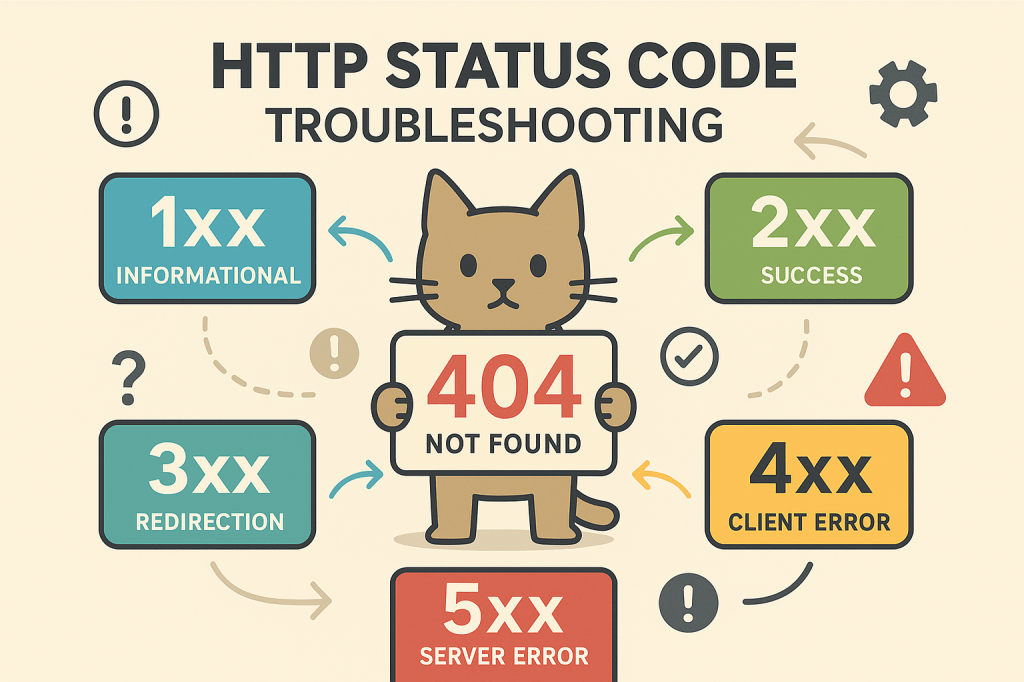
Here’s how I typically approach HTTP status code troubleshooting:
✅ 1xx – Informational
Usually nothing to worry about. If you’re seeing a lot of 100s or 102s in logs, it may be related to protocol handshakes or HTTP/2 behavior. I usually just acknowledge and move on unless it’s causing a delay.
🔄 2xx – Success (But Is It Really?)
- 200 OK – The request succeeded. But if a user reports a problem, I verify that the response payload or business logic actually returned what was expected.
- 204 No Content – A tricky one during form submissions or background calls. It succeeded, but there’s no feedback for the user—this can feel like a failure even when it’s not.
🚫 3xx – Redirection
- 301/302 – Useful for checking redirects, especially with load balancers or CDN configurations. If something breaks during auth flows or URL rewrites, this is where I look.
- I often use
curl -Ior browser dev tools to trace the redirect chain.
❗ 4xx – Client Errors (Often Misleading)
This is where http.cat shines—each code has its own vibe.
- 400 Bad Request – Usually malformed input. I double-check the payload, headers, or URL parameters.
- 401 Unauthorized / 403 Forbidden – The difference matters. 401 means “you need to log in,” while 403 means “you’re logged in, but still not allowed.” Knowing which helps isolate auth vs permission issues.
- 404 Not Found – Classic. I verify routes, deployment state, or static asset locations.
- 429 Too Many Requests – Rate limiting! Often shows up during testing or on shared services.
💥 5xx – Server Errors
This is where logs and observability tools become essential.
- 500 Internal Server Error – Check server logs immediately. Something failed in the backend logic.
- 502 Bad Gateway / 503 Service Unavailable / 504 Gateway Timeout – Usually infrastructure-related. Load balancer misroutes, upstream service failures, or health checks not passing.
💡 Everyday Usage
When supporting production environments, these codes are often my first clue. They help me:
- Communicate clearly with devs or vendors: “We’re getting a 403, not a 401. Can you check role mapping?”
- Translate vague user reports: “The page isn’t working” turns into “It’s a 500. Let’s check the logs.”
- Build better dashboards and alerting based on trends in HTTP response patterns
Tools like http.cat may seem playful, but they make learning and remembering the codes easier. And when you’ve handled hundreds of cases, having visual memory aids and a structured approach can really streamline the process.
What’s your go-to method for debugging HTTP issues? Are you team http.cat or httpstatusdogs?
#HTTPStatusCodes #ITSupport #Troubleshooting #Observability #SRE #DevOps #httpcat
 Mitchell Lyon